
Shutter App
Helping Photographers Learn, Share, and Grow
Mobile Design
UI/UX
Shutter App: Helping Photographers Learn, Share, and Grow
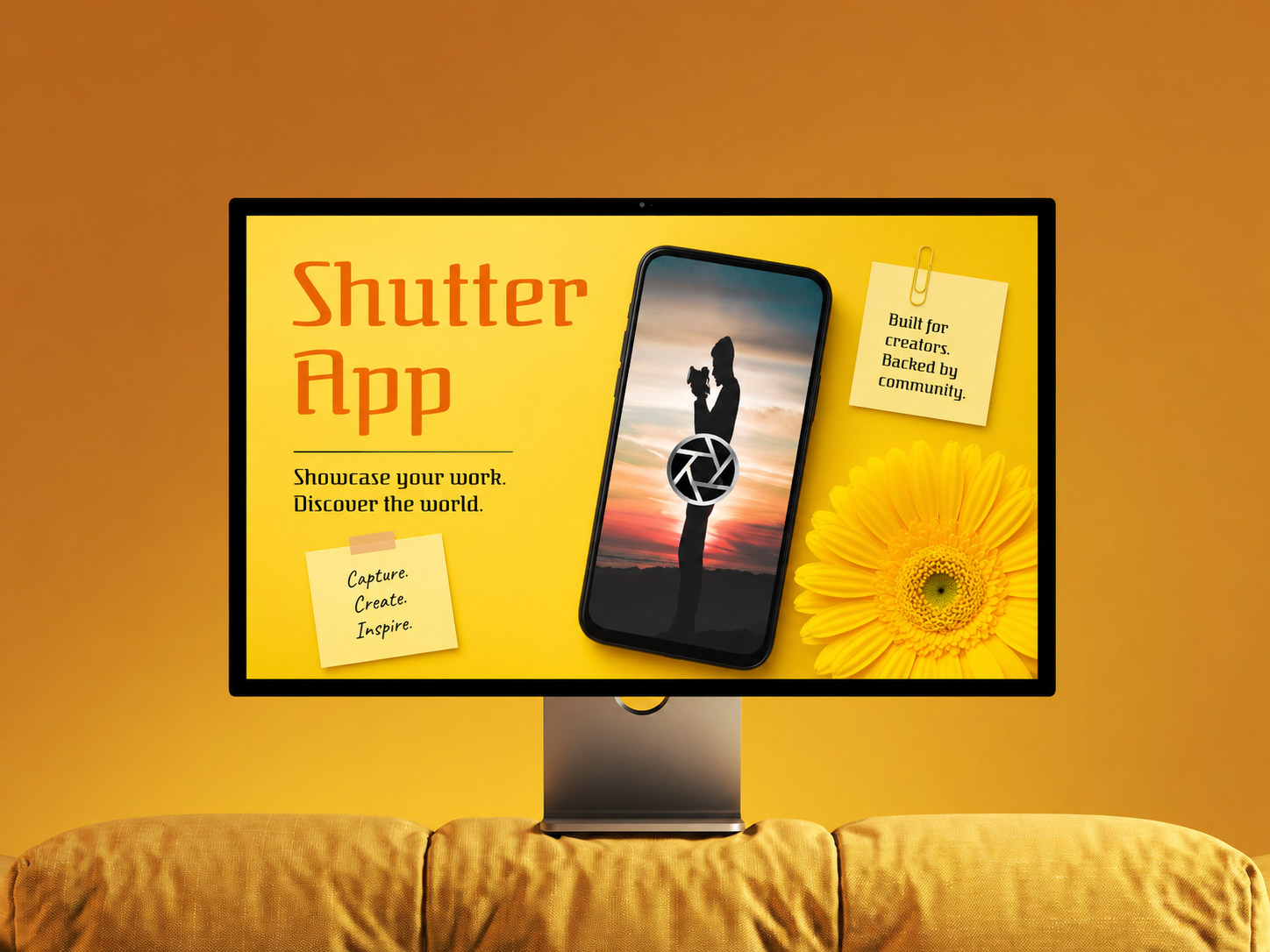
A mobile photo-sharing and learning app designed to help amateur and aspiring photographers improve their skills, get constructive feedback, discover inspiration, and showcase their work.
Role and Scope
- UX/UI Designer
- User research
- Survey and interview planning
- Problem framing
- Mobile app interface design
Problem Statment
- How can users get constructive feedback to improve their photography skills?
Research
Market Research
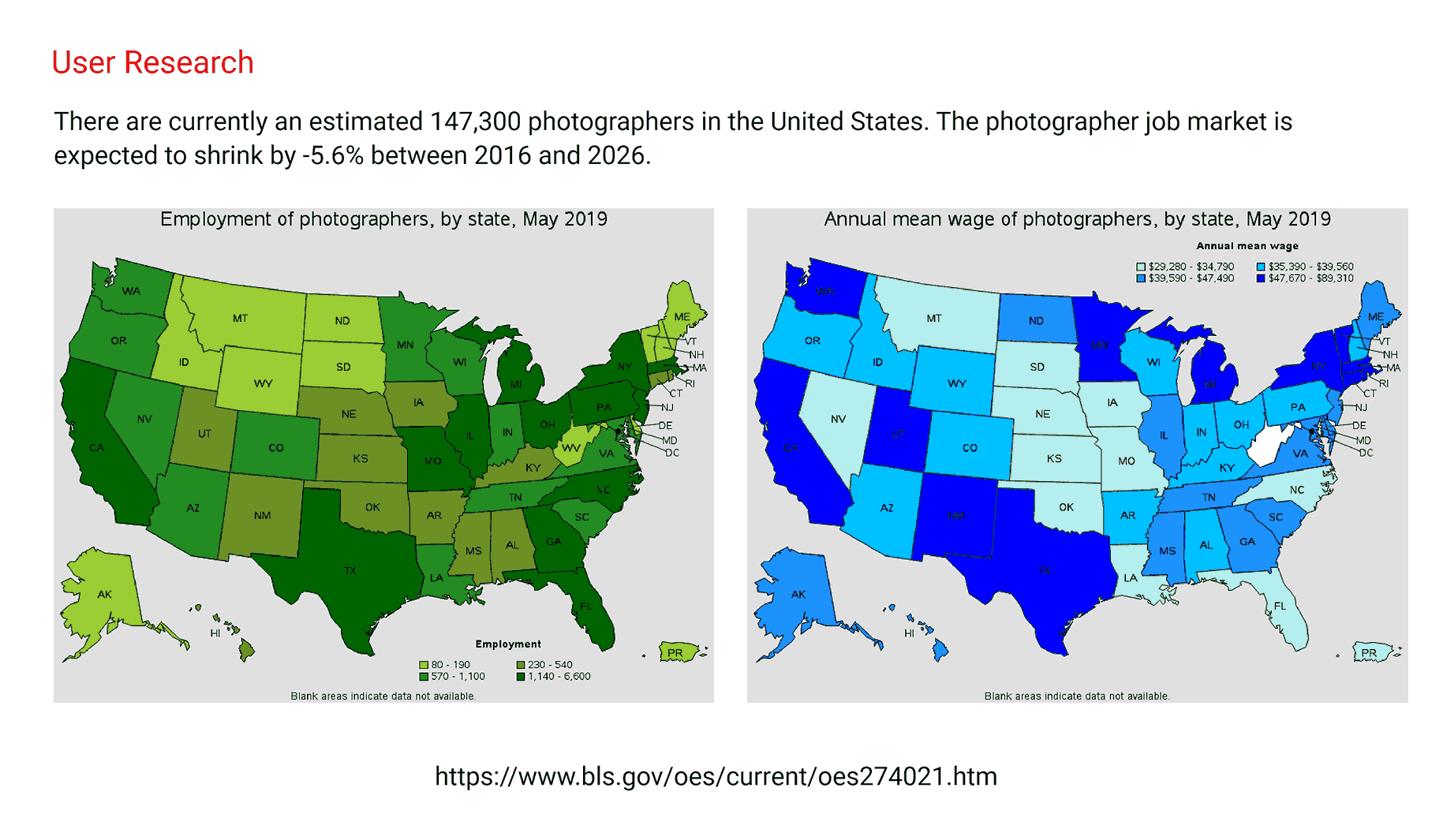
- The research referenced the U.S. photographer job market and showed a need for photographers to stand out, improve skills, and build visibility.
User Interview
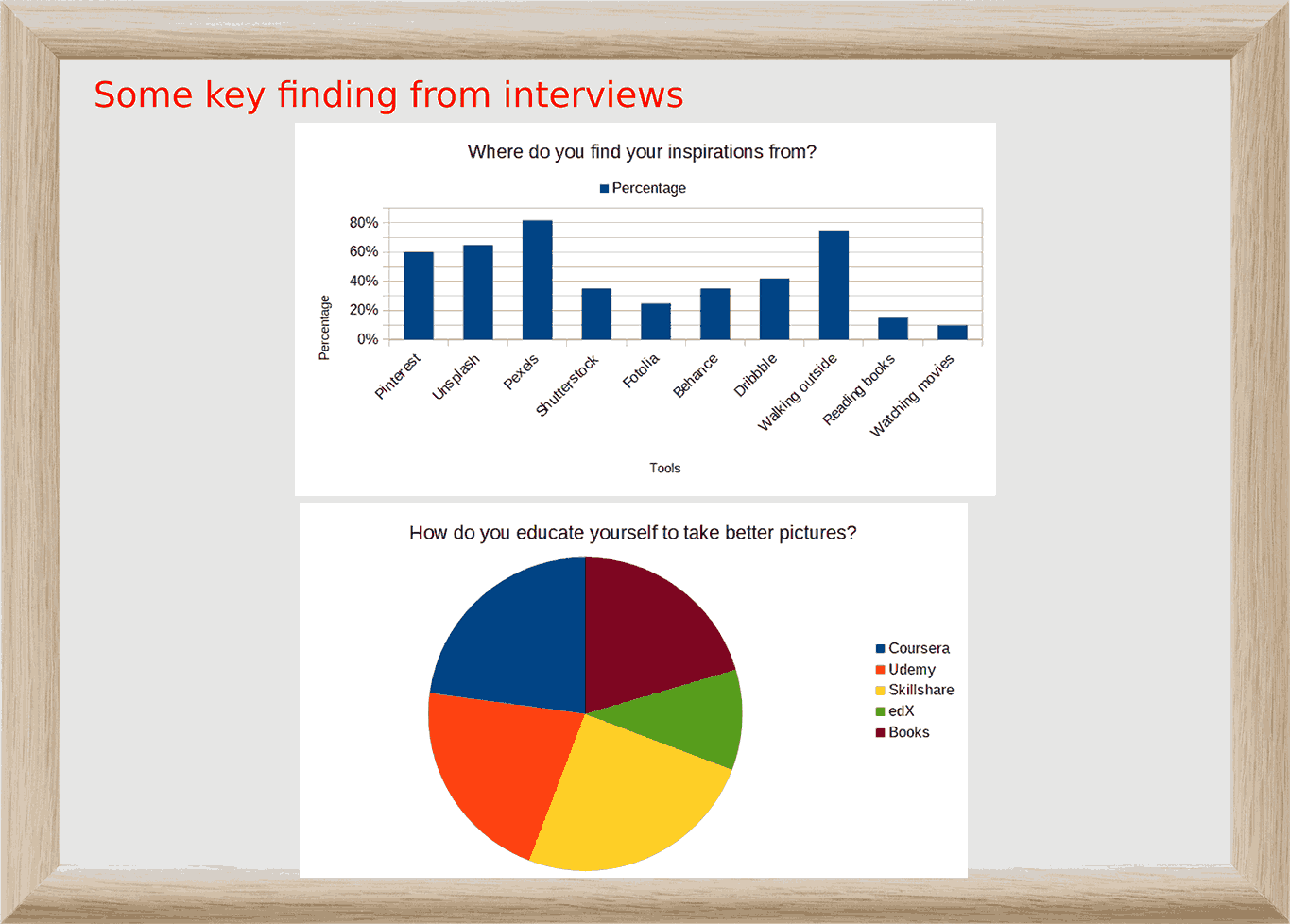
- Participants felt it was difficult to get well-paid photography jobs because clients often undervalue their skills.
- Participants believed a lack of quick, accessible education prevents users from improving.
- Users wanted more tips and guidance on how to improve photo-taking skills.
- Users needed support with organizing, editing, and selecting better photos.
Pain Points
- Users needed support with organizing, editing, and selecting better photos.
- Trouble finding work and clients.
- Not knowing where to find inspiration.
Design MVP
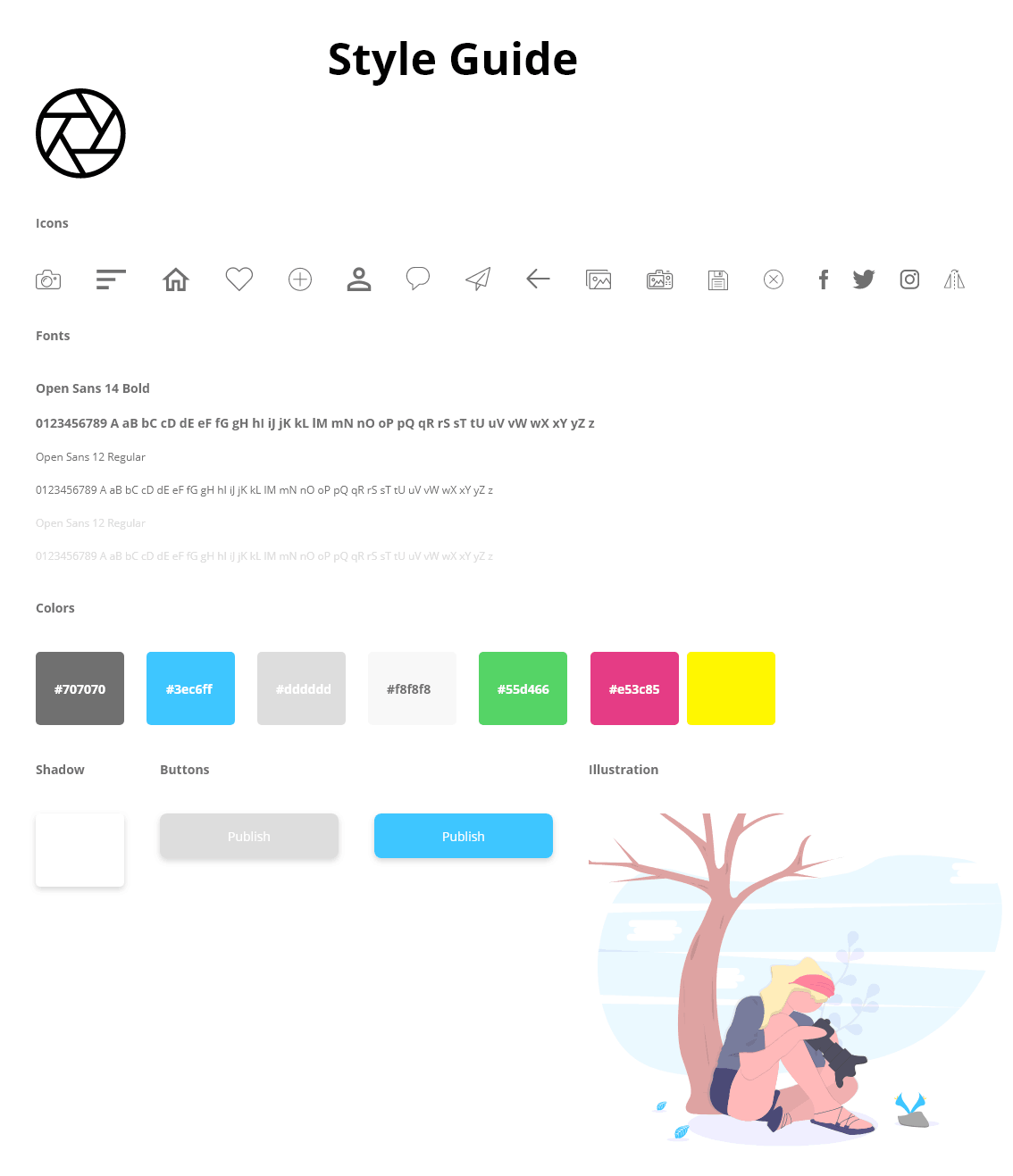
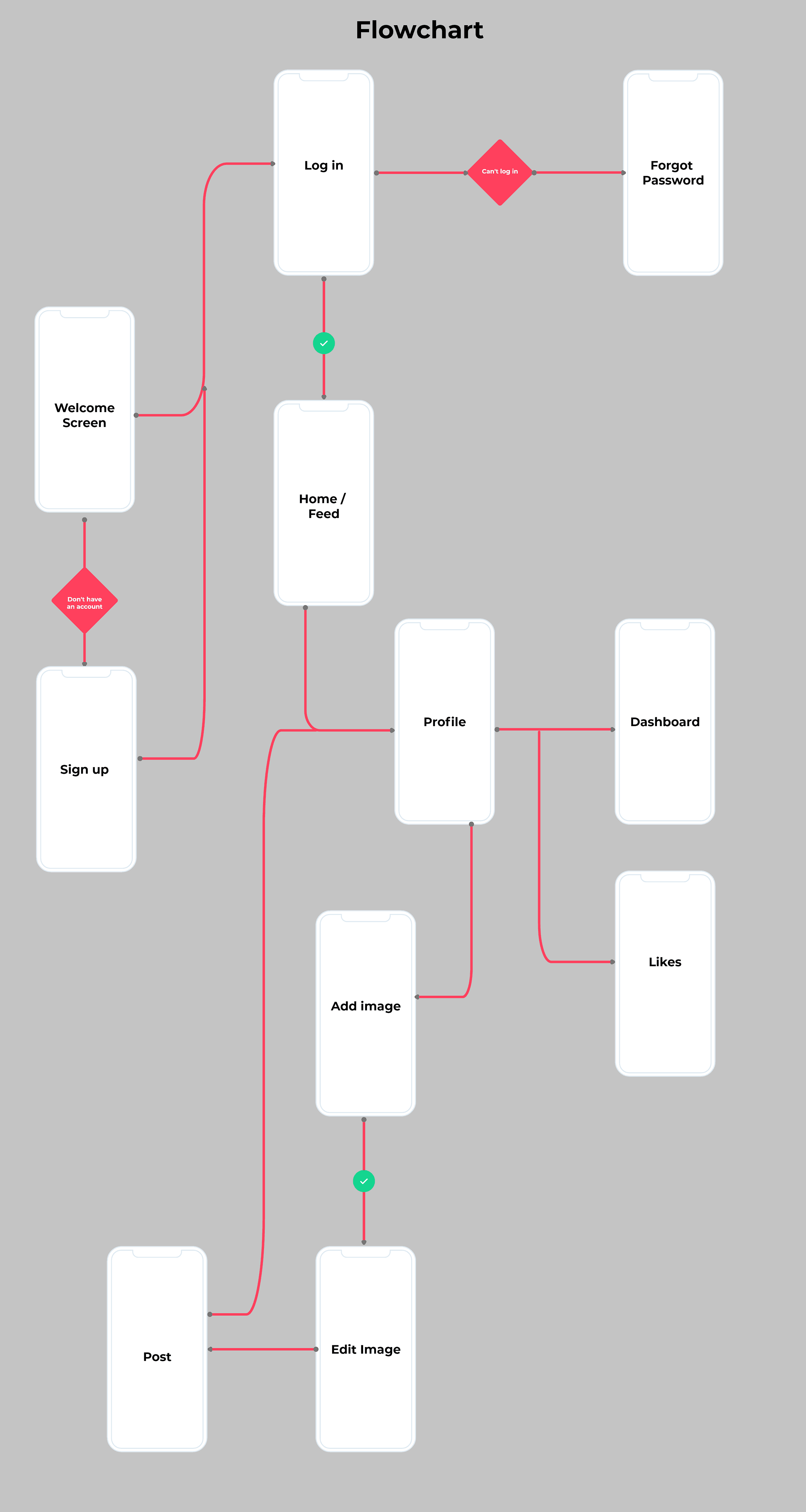
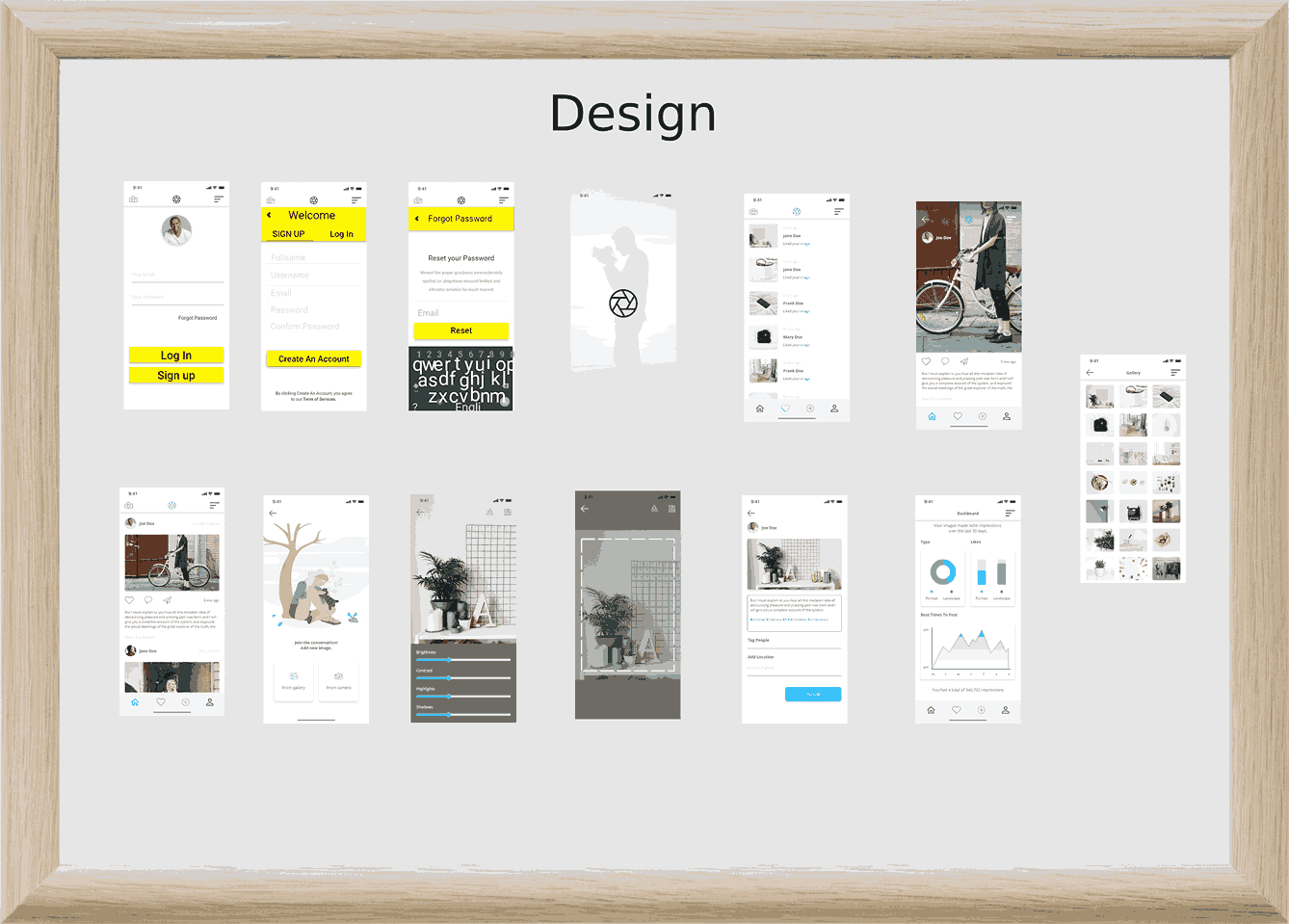
- The app uses a clean mobile interface so users can focus on photography, not complicated navigation.
- The feed supports inspiration discovery.
- The upload and edit flow supports quick improvement.
- The dashboard helps users understand engagement and growth.
- The profile experience helps users showcase their work and build credibility.
Outcome
A community-based app that combines photo inspiration, editing tools, posting, feedback, and profile exposure in one simple mobile experience.
- Designed a high-fidelity mobile app concept for a photography learning and sharing platform.
- Created an end-to-end experience from onboarding to photo editing and posting.
- Delivered a complete app flow that supports learning, inspiration, photo improvement, and community engagement.
Tools
Figma Make for design and prototyping, Claude, and ChatGPT.
More Cases
Every project starts with a story. I turn those stories into digital experiences that feel effortless and expressive.